
Contents
In the business world, video content isn’t just helpful—it’s essential. Whether you’re promoting a product, announcing a sale, or building brand recognition, videos help you communicate faster and more effectively than text alone. The challenge for most business owners, however, is time. Crafting a polished video can easily take hours—or an entire day—especially if you’re doing everything manually. CapCut AI Video Maker is a powerful tool that takes the technical workload off your hands by using AI to generate scripts, visuals, voiceovers, captions, and even entire video sequences for you. With just a few clicks, you can turn your idea into a ready-to-share promotional video, tailored to your brand’s message.
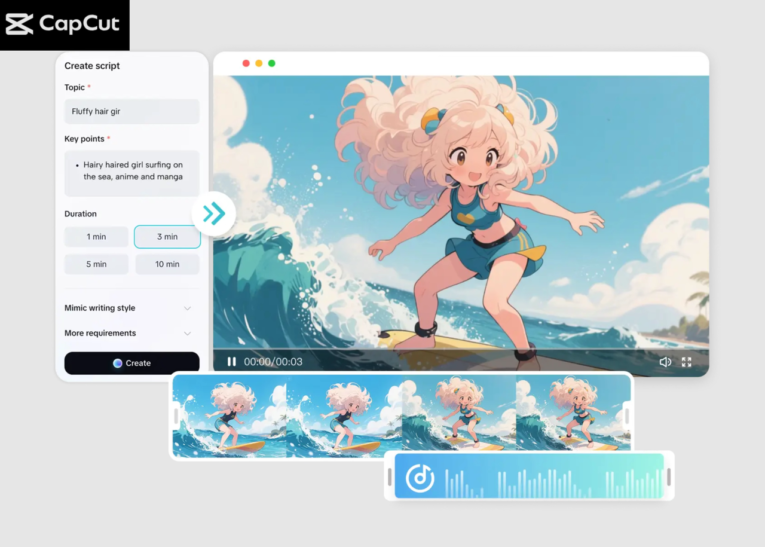
Why CapCut AI Video Maker Is Perfect for Business Promotions
Businesses love CapCut because it solves three problems at once:
- It saves time
Instead of manually writing scripts, arranging clips, and searching for music, the AI handles most of the creative process. This lets you focus more on your strategy—and less on editing timelines.
- It keeps branding consistent
CapCut’s AI generates videos that match your tone, style, and message. Whether you prefer something energetic, professional, or storytelling-focused, the tool adapts to your needs.
- It eliminates the guesswork
Even if you’ve never created a video before, CapCut guides you through simple steps, from writing scripts to adding music. The workspace is clean and designed to help beginners feel confident right away.
- It includes everything in one place
You don’t need separate tools for voiceovers, templates, captions, and scene arrangement. CapCut AI Video Maker includes it all—plus options like avatars, stock footage, and music libraries. Try CapCut’s amazing Nano Banana Pro feature to make your video more engaging.
How to Make Promotional Videos with CapCut AI Video Maker for Business
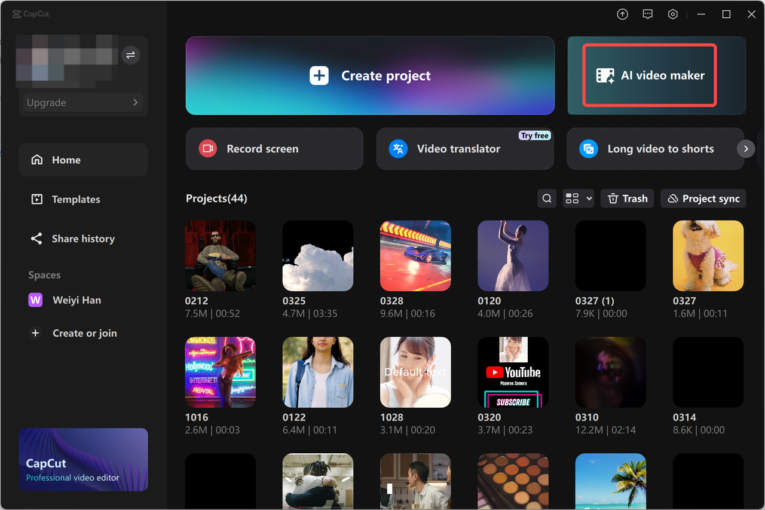
Step 1: Start the AI Video Maker
Open CapCut Desktop and choose the “AI video maker” option from the main interface. This instantly opens the dedicated AI workspace where you can begin creating your promotional video. Click “New project” to begin. Inside the workspace, you’ll see tools for scriptwriting, scenes, voiceovers, captions, and music. Everything is designed so you can build your business video without having to deal with complicated editing tools.
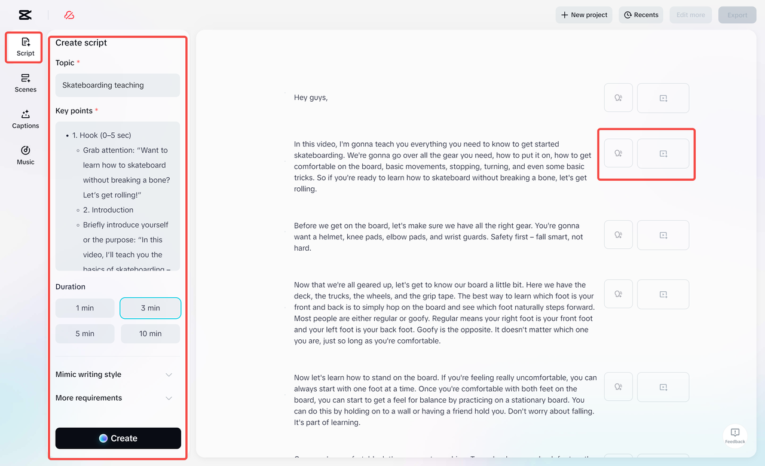
Step 2: Generate a Script and Create a Video
Navigate to the “Script” tab. Here, enter your business topic—such as a product launch, discount offer, brand story, or service introduction. You can include:
- Key details
- Selling points
- Scene ideas
- Tone preferences
- Target audience
- Any special notes
You may also choose a writing style that best fits your brand, such as professional, friendly, bold, elegant, or storytelling. Once everything is set, click “Create” to generate your script. Review the script. If you like it, click “Use” and the AI will automatically convert your script into a full promotional video—complete with AI-generated visuals and layout. This step alone saves hours of writing and designing. The AI lays the groundwork, and you can simply refine the details.
Step 3: Add a Voiceover, Captions, Music & Export Your Video
CapCut combines the final polishing steps together to help you finish your promotional video quickly. Here’s how to enhance and finalize your video:
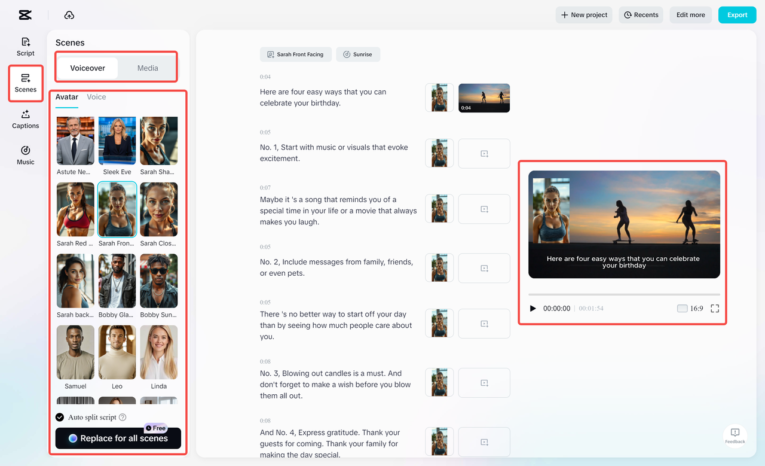
Add a voiceover
Go to the “Scenes” tab and click “Voiceover.” Choose a voice that fits your business—professional, friendly, energetic, or calm. You can also upload your own media to enrich the visuals. For a more personalized touch, CapCut even lets you add an AI avatar.
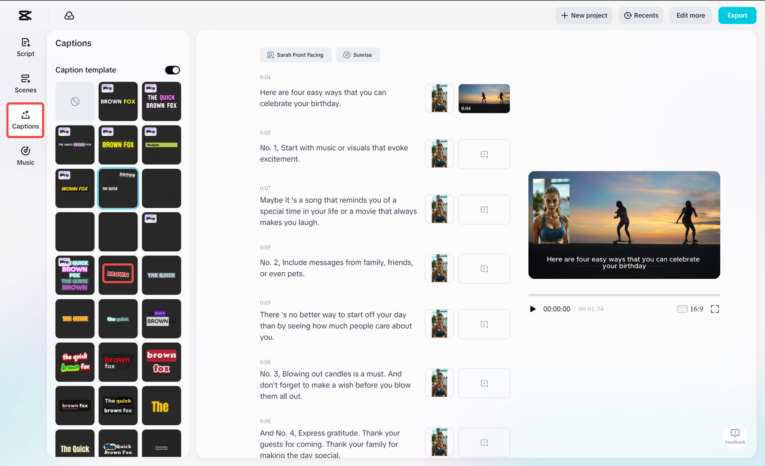
Add captions
Open the “Captions” tab and browse through CapCut’s text templates. Pick one that matches your brand’s style—minimal, bold, modern, or dynamic. CapCut automatically syncs captions with your scenes, making it incredibly easy to edit.
Add background music
Visit the “Music” tab and explore curated tracks categorized by mood and theme. Whether you want something upbeat for a sale or cinematic for a brand story, you’ll find a track that sets the perfect atmosphere.
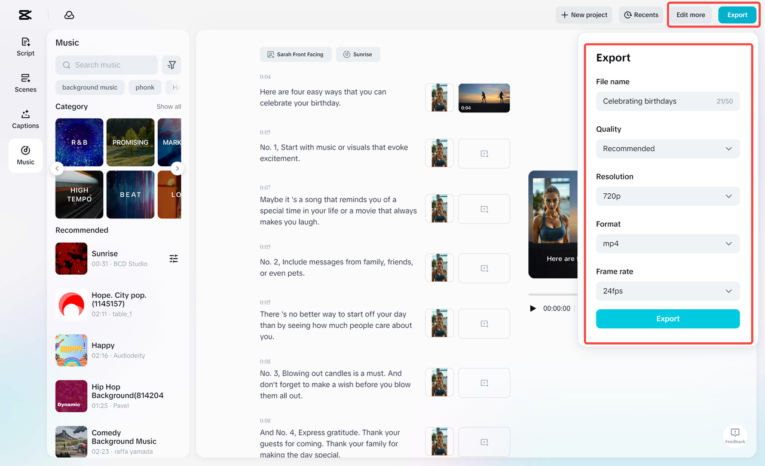
Export your promotional video
Once you’re satisfied with everything, click “Export” in the top-right corner. Choose your preferred resolution, format, frame rate, and quality. Download your video and upload it directly to your website, social media, or ad campaign.
Why Businesses Are Switching to CapCut AI Video Maker
CapCut AI Video Maker is becoming a go-to tool for business owners because it delivers results fast. You can create:
- Product promos
- Service introductions
- Sale announcements
- Event teasers
- Brand story videos
- Customer testimonial visuals
- Social media ads
All without hiring editors or spending hours on complex timelines. It’s especially useful for small businesses, creators, digital marketers, and startups who need to publish content consistently but don’t have extra hands on the team.
Conclusion
In a world where video drives engagement, CapCut AI Video Maker empowers businesses to produce high-quality promotional videos with almost no effort or technical expertise. Its AI tools help you write scripts, design scenes, add voiceovers, and fine-tune your visuals in minutes. If you’re looking for a fast, reliable, and beginner-friendly way to promote your business, CapCut’s AI Video Maker is one of the best tools you can use today.